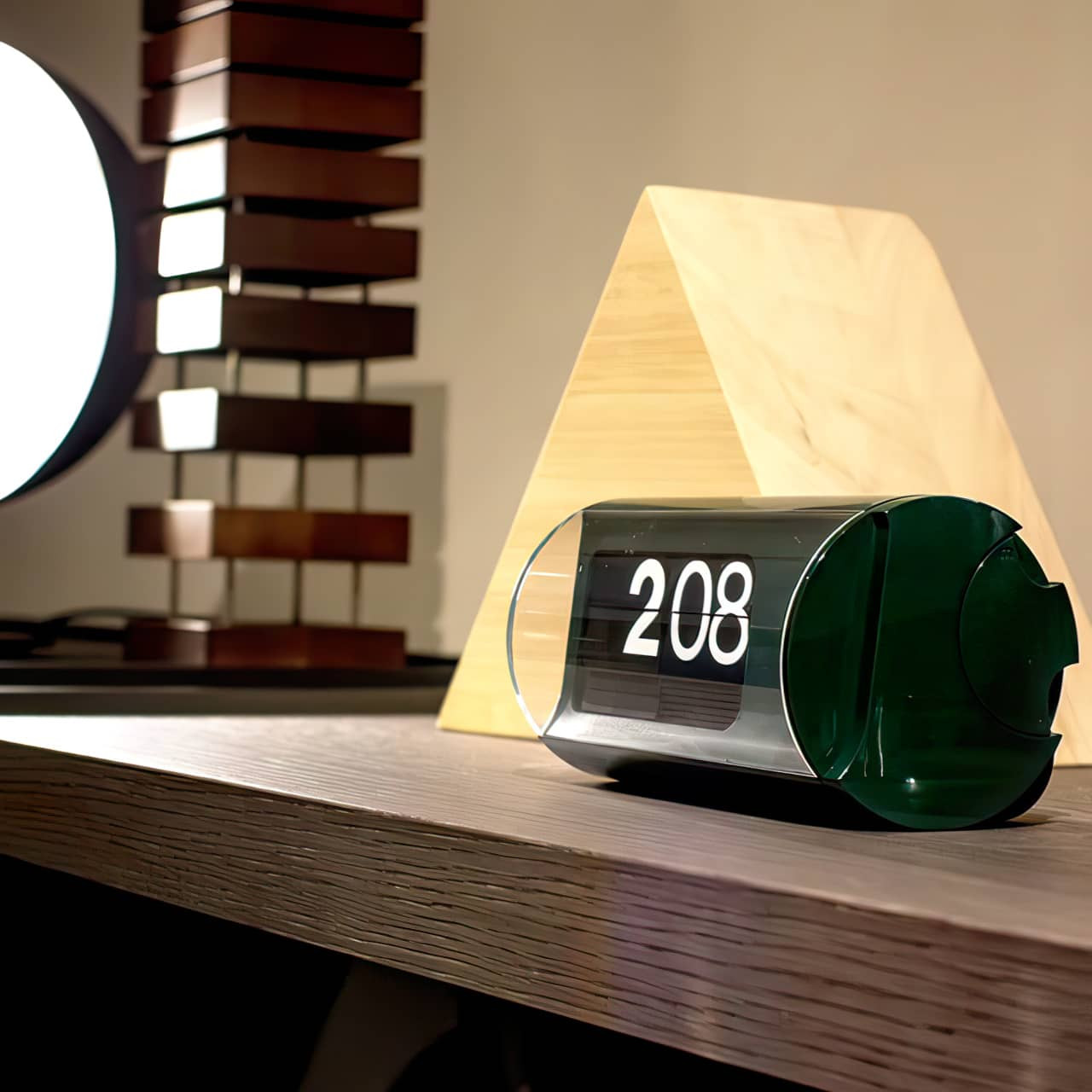


Cifra 3 is the iconic flip clock Gino Valle designed for Solari in the 1960s and patented in 1966, building on the split-flap display Solari had patented in 1950. It is still made in Udine, Italy, by Solari Lineadesign, which reintroduced it in 2015, and it is held in the permanent collections of the Museum of Modern Art in New York and the Science Museum in London. Valle (1923–2003) was an architect, designer, and painter who began working with Solari in 1954; his earlier Cifra 5 came first, and a later collaboration with Belgian inventor John Meyer gave the Cifra 3 its roller of 48 flaps. The hour and minute digits each have their own typeface, chosen by Massimo Vignelli at the end of the 1960s.
HOW CIFRA 3 WORKS
A small stepper motor turns two rollers of printed flaps, one for the hours and one for the minutes, and each minute the next flap falls into place. There are no hands to read: the time is simply the number in front of you, on a 24-hour cycle, and it reads easily from across a room. Solari describes the Cifra 3 as the smallest direct-reading clock made with a horizontal-leaf roller, and the flaps are still assembled by hand in sequence. The clock runs on two D batteries, which are included, and keeps time to within about a minute a year. Two levers on the side advance the hours and the minutes.
CHOOSING YOUR CIFRA 3
The case is a glossy PC-ABS shell, 7 inches wide and just under 4 inches tall, behind a clear polycarbonate cover. The core colors are Black, White, Red, and Green, each with the white-on-black flap face, and Gold and Silver are offered as seasonal editions. For Solari’s 300th anniversary there are limited editions of 100 in Yellow, Mocha, and Pink. Every color shown is available; those not in stock ship in four to six weeks. For corporate gifts, Solari can produce the Cifra 3 with a screened message or logo on the front, starting at 10 pieces.
DEALER’S NOTES
You can hear the Cifra 3 work. Each minute brings a soft flip as the next flap drops. The hour is the loudest moment, because all four flaps change at once. Most people like the sound on a desk or a shelf, where it marks the time the way a mechanical clock’s tick does. Unless you’re a sound sleeper, it isn’t usually the clock we’d put at the bedside.
Quick Help
Inserting and changing the batteries
The Cifra 3 runs on two D-cell (LR20) alkaline batteries, included with a new clock. The battery compartment is on the back and slides out, away from the side with the time-adjustment levers. On a new clock, pull out the paper separator to connect the batteries.
- When replacing the batteries, we recommend Duracell Procell Constant D cells.
- Put the batteries in with the polarity shown in the compartment. The flaps start moving once both are seated.
- You may tape the two batteries together with a couple of small pieces of electrical tape before you put them in (see The clock stopped after I moved it). It keeps them from shifting and losing contact.
- Change the batteries as soon as the clock starts to run slow or stops. Weak batteries left in the clock can leak and damage it.
- After a battery change, set the time again (see Setting the time).
Setting the time
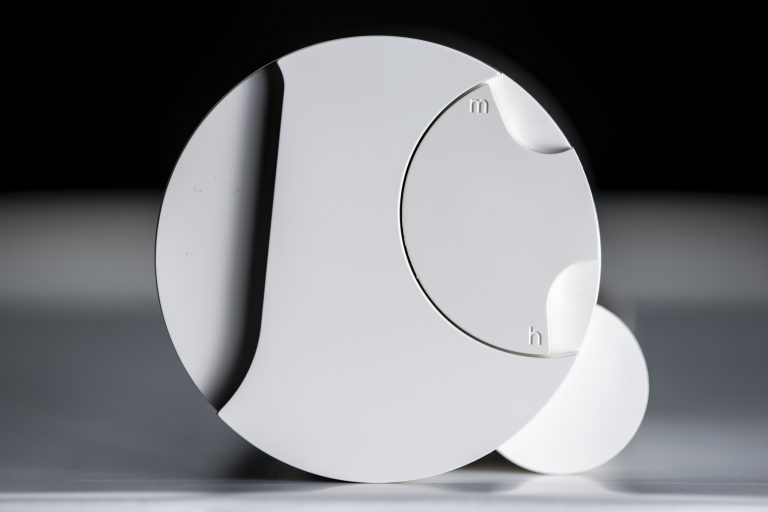
Two levers on the side of the case set the time. The clock runs on a 24-hour cycle, so 3 in the afternoon is 15:00.
- The lower lever advances the hours. Press it in once for each hour.
- The upper lever advances the minutes. Press it in once for each minute.
- Both levers only move forward. To go back, keep going around.
Daylight saving time
- In spring, press the lower (hour) lever once.
- In fall, the levers do not go backward, so press the lower lever 23 times to land one hour earlier. Count as you go; the flaps keep up.
There is a noticeable delay between the hour and minute flaps changing on the hour
Over time, it is normal for the hour and minute flaps to stop falling at exactly the same instant on the hour. If they drift more than a couple of seconds apart, reset the clock:
- Use the levers to set the clock to 0:00.
- Then set the current time again (see Setting the time).
- You may need to do this a couple of times before the flaps line up.
The clock stopped after I moved it
Moving or bumping the clock can push the two batteries slightly out of line so they lose contact, and the clock stops.
- Open the battery compartment and reseat the batteries. The clock should start again.
- To keep it from happening, tape the two batteries together with a couple of small pieces of electrical tape around the sides, so they move as one.
- If the clock still will not run, try a fresh set of batteries (see Inserting and changing the batteries).
Where to display
- The Cifra 3 is a table clock for a desk, shelf or side table, indoors.
- Keep it out of direct sunlight. Sun fades and yellows plastic over time, and the white case shows it first.
- You can hear it work: a soft flip each minute and a louder one on the hour, when all the flaps change. Most people enjoy it in a living room or office; light sleepers may not want it at the bedside.
- Avoid humid rooms such as a bathroom; moisture is hard on the mechanism and the batteries.
- Avoid placing it where it could be knocked over. It is unlikely to survive a hard fall.
Cleaning
- Dust the case and the clear front with a dry microfiber cloth. That is all it normally needs.
- For fingerprints or smudges on the clear front, use an ammonia-free cleaner made for acrylic and clear plastics. We like Fritz Aquatics Glass & Acrylic Cleaner. Window cleaners and anything with ammonia or alcohol can cloud or craze the plastic.
- Never spray the clock directly. Spray the cloth, wipe, then dry with a clean part of the cloth.
- Keep liquids away from the levers and the battery compartment.