







Lunar Influences: Art, Time, and QLOCKTWO’s MOON
Essay by Terri C Smith
“This idea of a shared moon that belongs to anyone who gazes upon it has sparked imagination across cultures, informing religion, science, and art. Prehistoric people documented the phases of the moon some 30,000 years ago with cave paintings and carvings, and many tribes of indigenous peoples tracked time using the cycles of the moon and the seasons...”
QLOCKTWO MOON
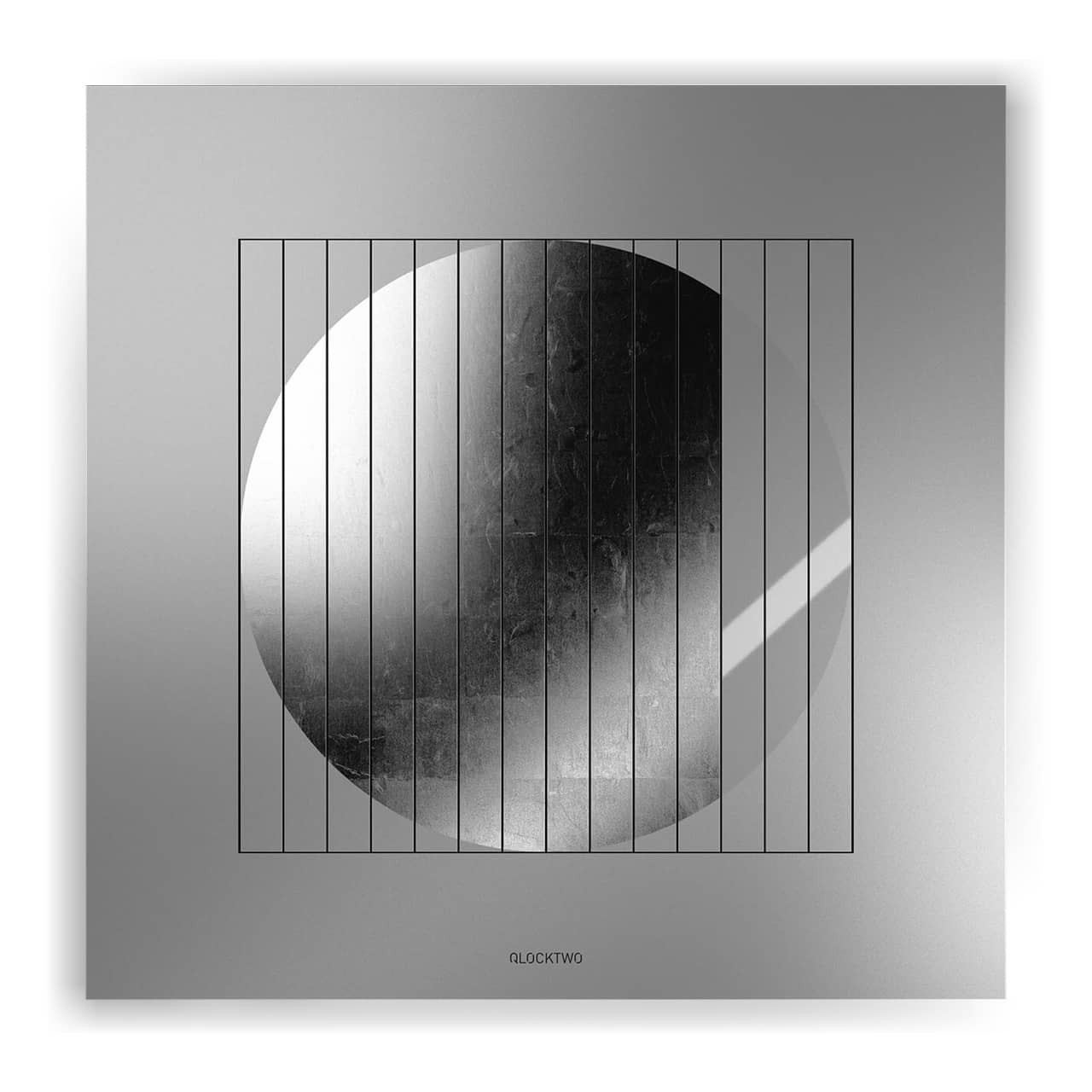
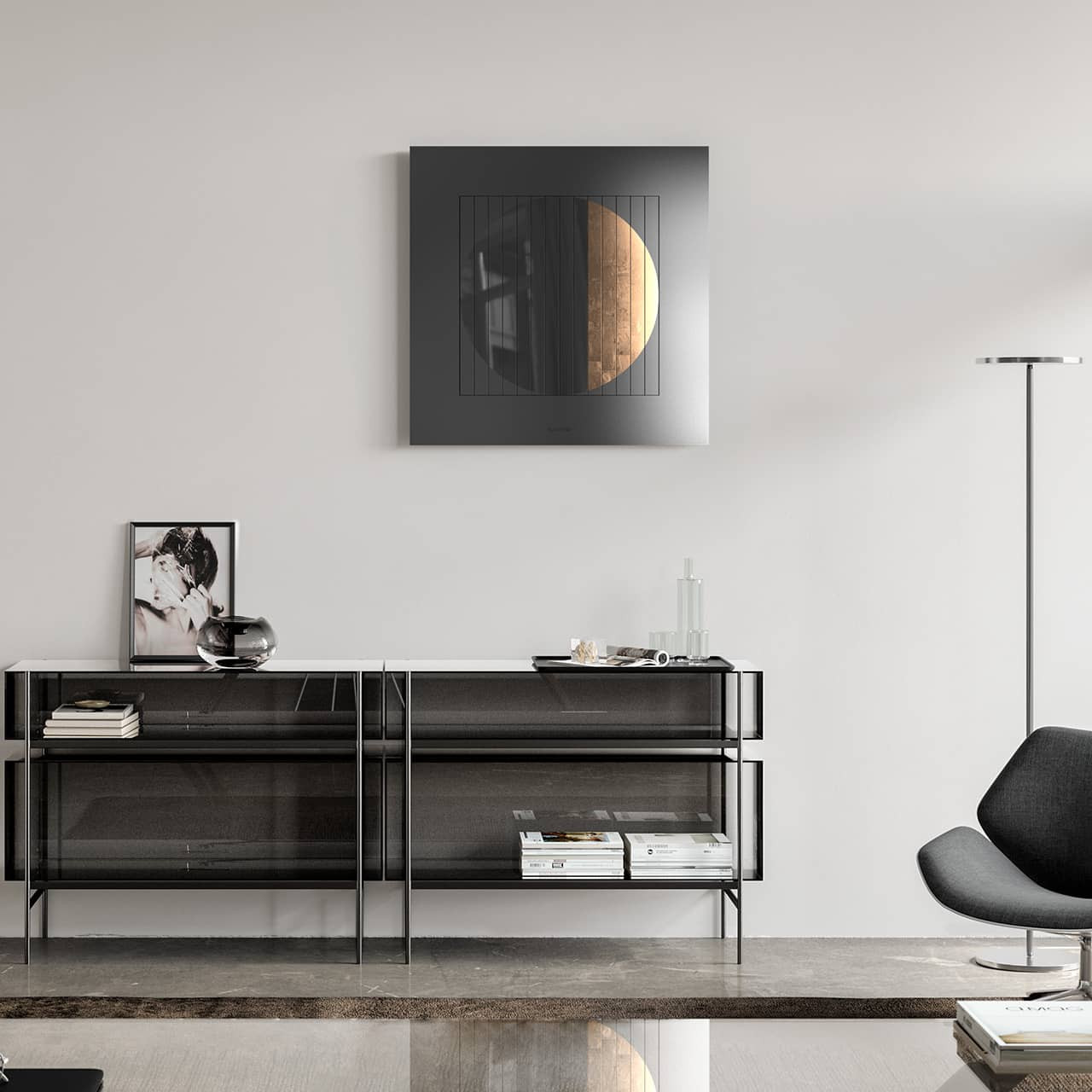
The moon is an integral and vibrant symbol in human culture, magnetically drawing our gaze toward the heavens. It has inspired poems, stories, works of art, and more throughout history and continues to do so in contemporary life. Each culture has its own historical, social, scientific, and spiritual relationship with the moon’s illuminating presence. A lunar-phase art clock, QLOCKTWO MOON reminds those who own and live with it of the moon’s beauty and its cycles of waxing and waning.
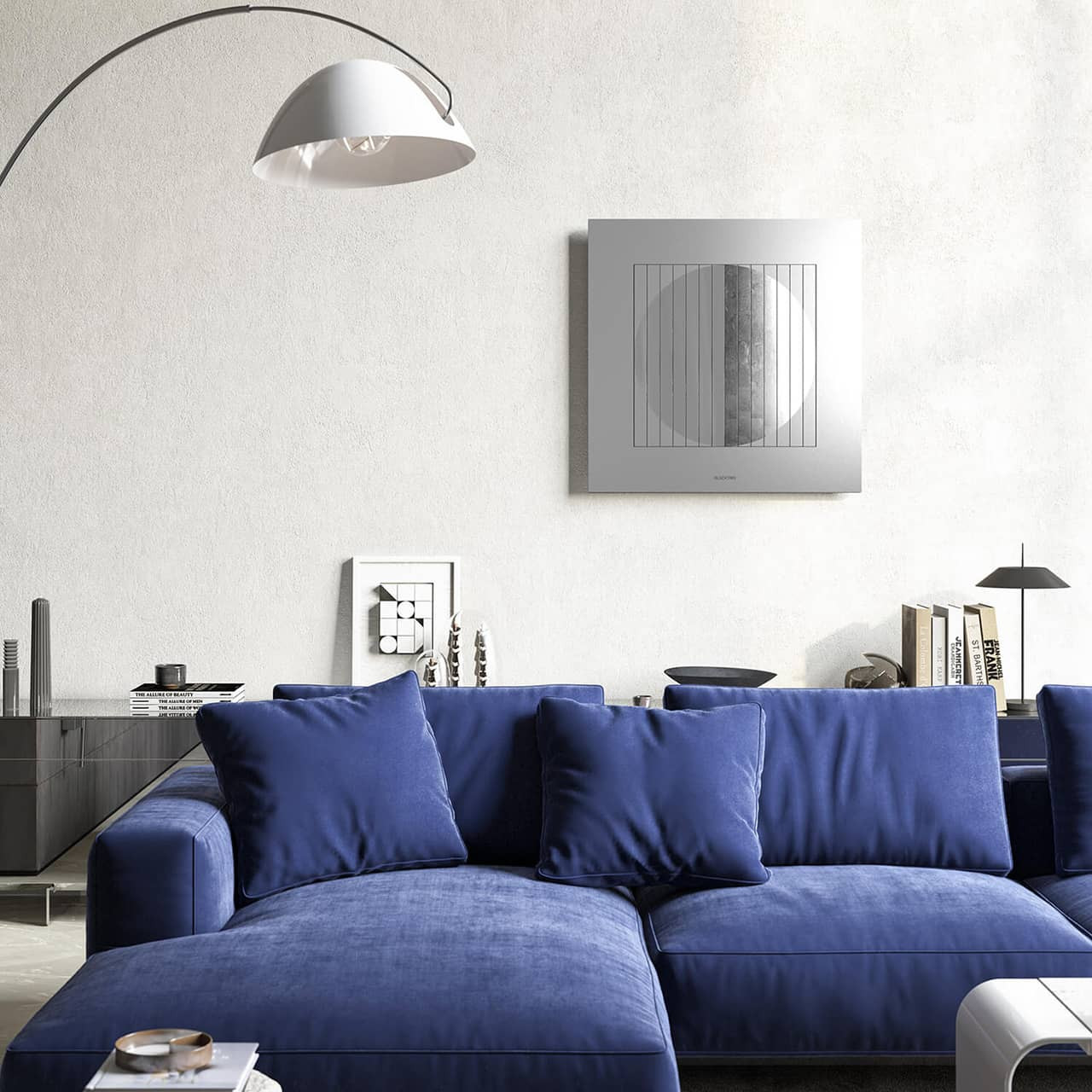
A tangible, artful, interpretation of the moon’s magic, QLOCKTWO MOON presents the time course of a lunar cycle in 28 recurring intervals. Handcrafted to each client’s specifications, this minimalist and arresting wall art is a kinetic reminder of the moon’s elegance, simultaneously indicating the passage of time through the moon’s phases and enhancing living and work locales with its graceful design.
MOVEMENT
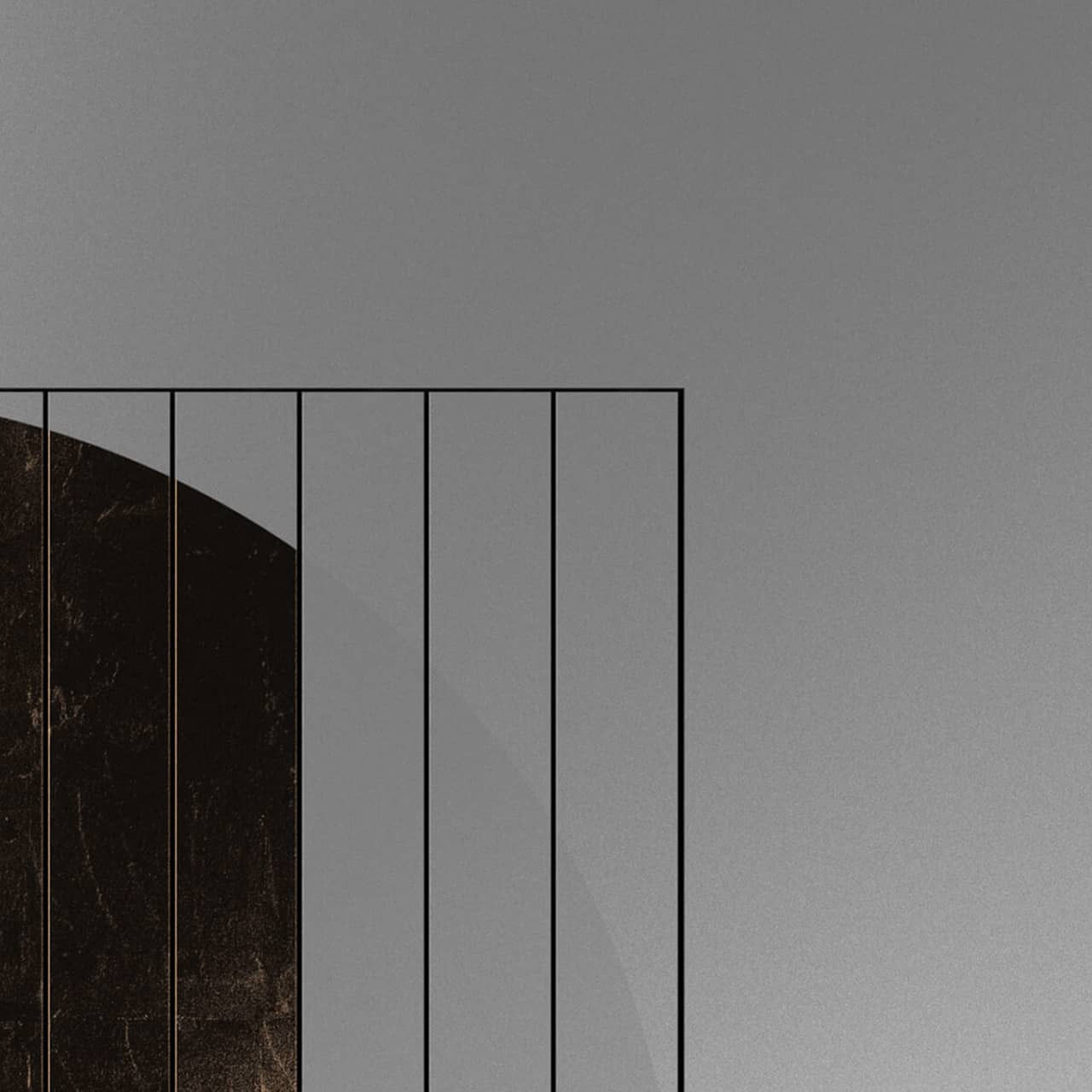
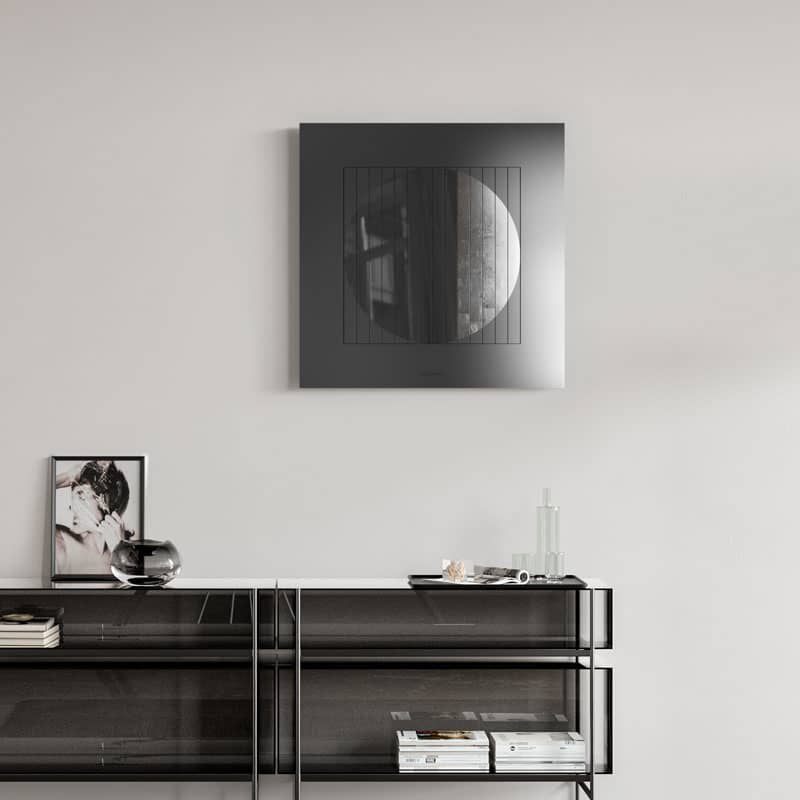
The mechanical moon phase display accurately renders 28 different states of the moon by using fourteen, axially driven triangular prisms controlled by a single 30-year rated motor that makes a one-quarter turn each day. Since the moon takes just over 29.5 days to completely change from full moon to full moon, this roughly corresponds to one change of state per day. To do this, the motor-driven triangular prisms are programmed to rotate at moments that are unexpected to us, mystically revealing the updated moon phase.
MOON VARIANTS
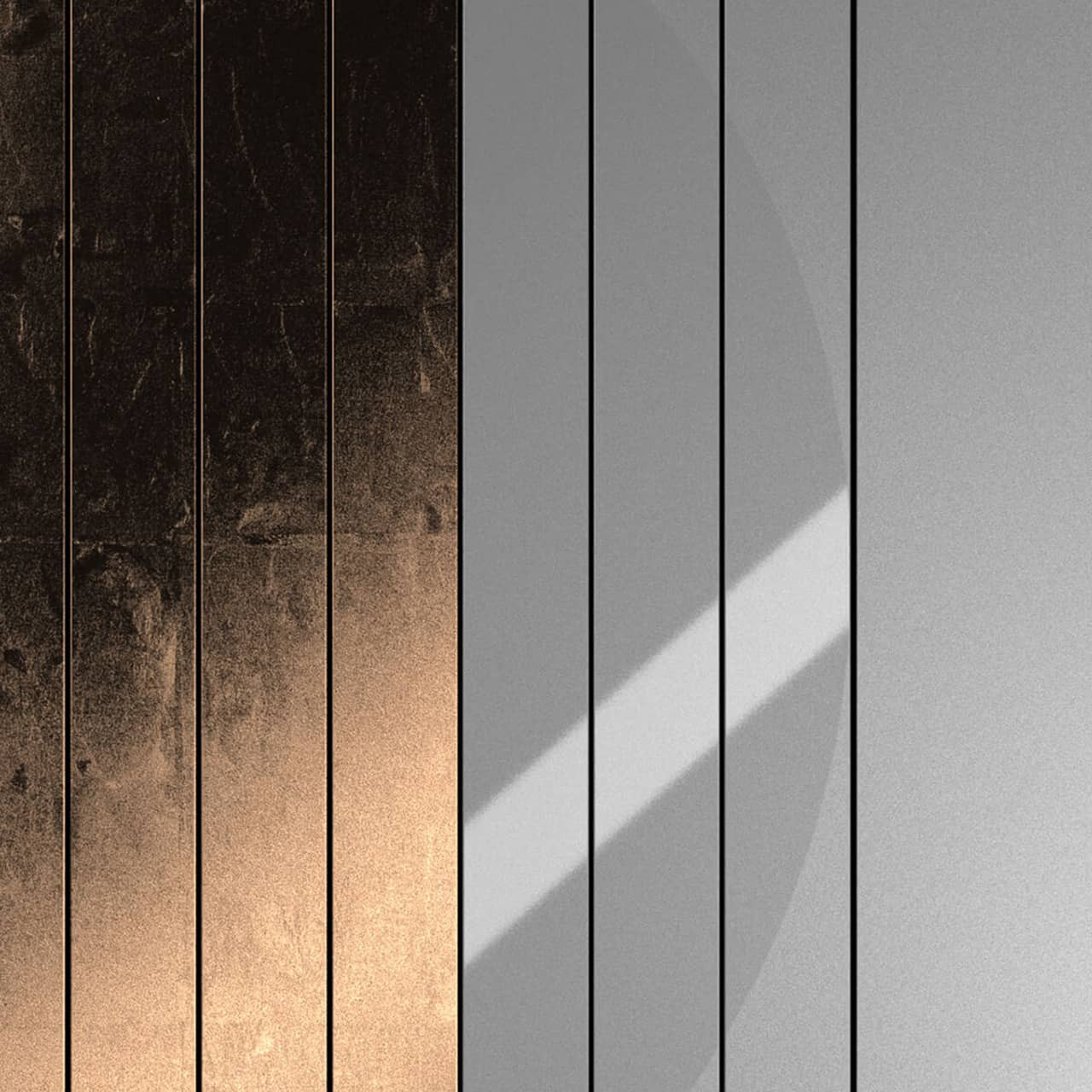
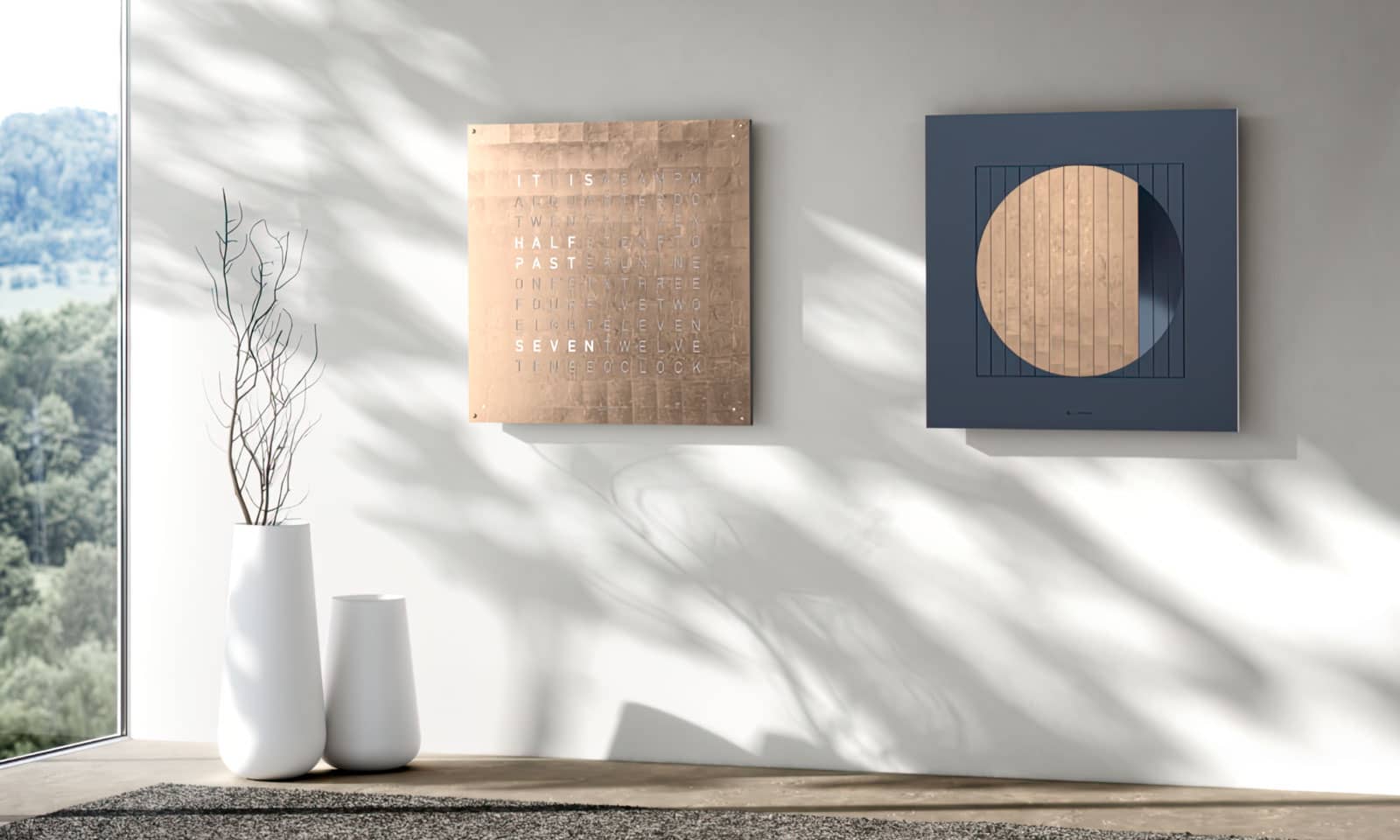
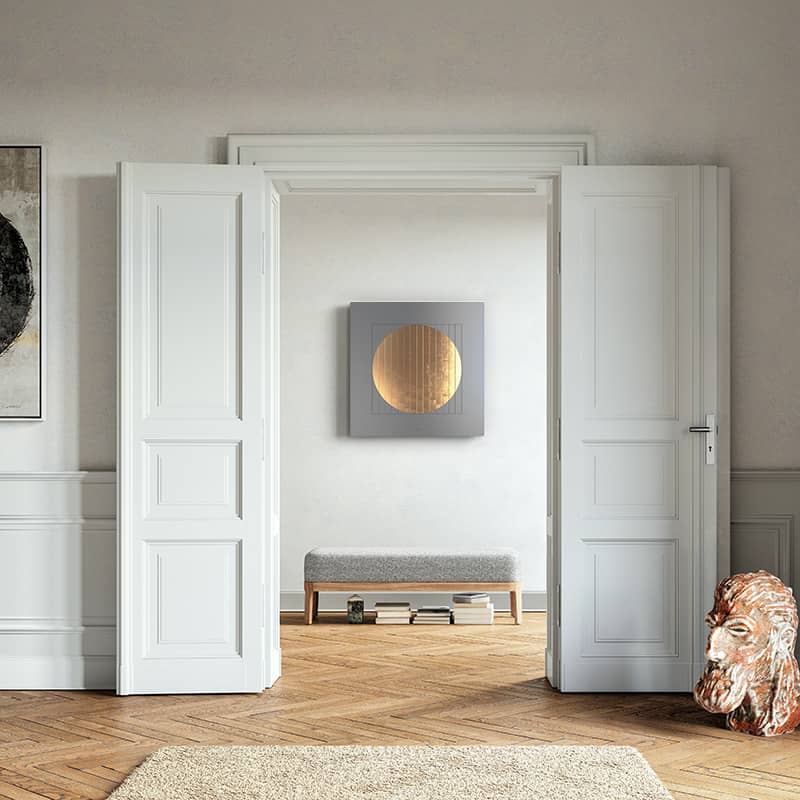
Each triangular prism shows either a glossy or matte dark phase of the moon or a lit segment. The moon’s shimmer is available in 24k gold, moon gold (23.75 yellow gold & platinum), or platinum (99.9% purity) leaf and can be paired with a Dawn, Midnight, or Nightfall sky. The QLOCKTWO MOON is available in 35" and 70" sizes. Since QLOCKTWO MOON is available in the same sizes as QLOCKTWO EARTH, the two work harmoniously as a diptych, bringing the earth and heavens together in one room.
AWARD-WINNING
All QLOCKTWO products are Handmade in Schwäbisch Gmünd, Germany. QLOCKTWO is DIN EN ISO 9001 certified and is the recipient of numerous contemporary design awards including: Iconic Awards: Innovative Interior, iF Product Design Award, ADCE Gold Award, and Red Dot Design Award.
Download manufacturer manual and installation guide
- MOON 90 / MOON 180 Manual (pdf)
- MOON 90 Installation (pdf)
Switching between transport mode and active mode
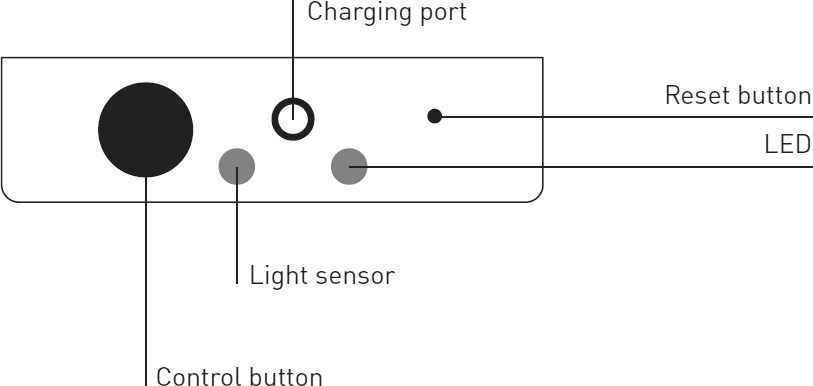
Switching from transport mode to active mode: Your clock will arrive in transport mode. Hold down the control button for approximately 15 seconds until the color of the LED changes from blue to green. The prisms will begin rotating to display the current moon phase. The current moon phase is preconfigured before shipping.
Switching back to transport mode before moving: Hold down the control button for approximately 15 seconds until the color of the LED changes from green to blue. The prisms will begin rotating to display transport mode (the empty/matte side of each prism will be displayed).
Control panel
Installing the FLASHSETTER app
The simplest way to change the mode, set the moon phase, and toggle sleep mode on and off is by using the FLASHSETTER app. Each of these functions (except sleep mode) also can be set manually using the control button located on the back lower center of the clock.
- Install FLASHSETTER app: Android (Google Play) | iOS (App Store)
- Open the app and select MOON
- Press the "FLASH" button.
- The light sensor is on the back, bottom center of the MOON. The strobing light is what changes the settings. Position the side of your phone that is flashing facing the light sensor (on Android this is the screen of your phone, on iPhone, the back of your phone) aiming at the bottom back of the clock.
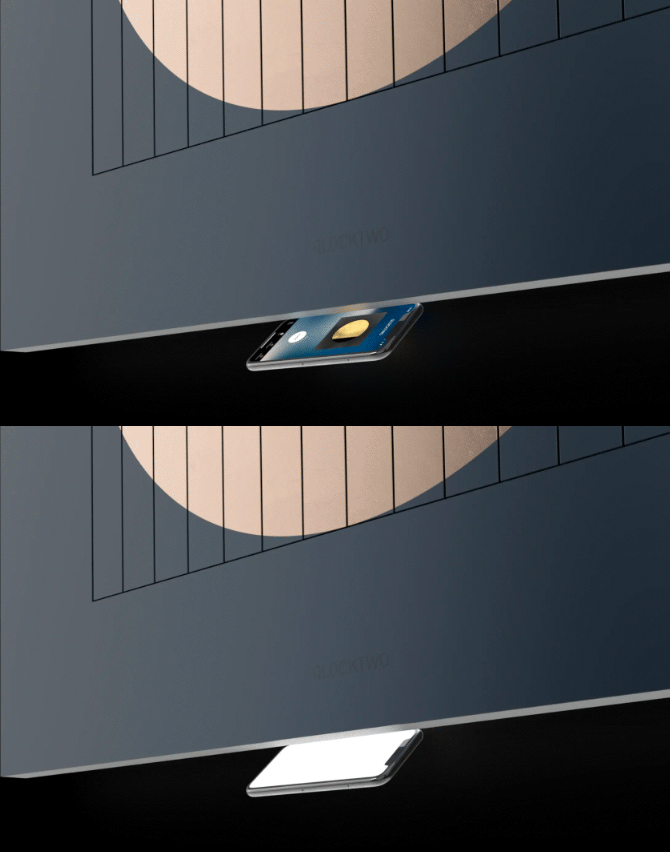
Using FLASHSETTER app on MOON
Control panel
Setting the moon phase
Setting the moon phase can be accomplished two ways: by pressing the control button or with the FLASHSETTER app.
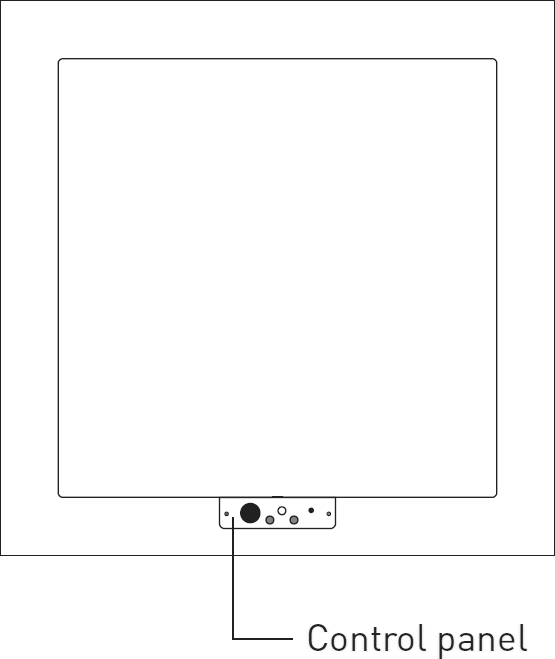
Control panel
- Press the control button to advance the moon phase.
- Open the FLASHSETTER app on your phone and select MOON
- Press the "FLASH" button.
- The light sensor is on the back, bottom center of the MOON. The strobing light is what changes the settings. Position the side of your phone that is flashing facing the light sensor (on Android this is the screen of your phone, on iPhone, the back of your phone) aiming at the bottom back of the clock.

Using FLASHSETTER app on MOON
Setting display mode
There are three display options: Sphere, Shape and Eclipse. Display mode is set using the FLASHSETTER app or with the control button.

3 modes of display
- Sphere uses metal leaf and glossy prism sides to show the current phase.
- Shape uses metal leaf and matte prism sides to show the current phase.
- Eclipse uses glossy and matte painted prism sides to show the current phase.
- Changing display mode with the FLASHSETTER app
- Open the app and select MOON
- Press the settings button in the bottom menu bar.
- Select the desired display mode.
- Press the flash button in the bottom menu bar.
- Press the "FLASH" button.
- The light sensor is on the back, bottom center of the MOON. The strobing light is what changes the settings. Position the side of your phone that is flashing facing the light sensor (on Android this is the screen of your phone, on iPhone, the back of your phone) aiming at the bottom back of the clock.
Using FLASHSETTER app on MOON
- Changing display mode with the control button
- Hold down the control button until the LED turns blue. The desired display mode can now be selected.
- Sphere: Press the control button once.
- Shape: Press the control button twice.
- Eclipse: Press the control button three times.
Control panel
Sleep mode
Sleep mode can be activated/deactivated using the FLASHSETTER app. When sleep mode is activated, any moon phase changes (rotation of a prism) will not take place between 10pm and 8am. Sleep mode can only be activated with the FLASHSETTER app.
- Open the app and select MOON
- Press the settings button in the bottom menu bar.
- Toggle the sleep mode switch to either on or off.
- Press the flash button in the bottom menu bar.
- Press the "FLASH" button.
- The light sensor is on the back, bottom center of the MOON. The strobing light is what changes the settings. Position the side of your phone that is flashing facing the light sensor (on Android this is the screen of your phone, on iPhone, the back of your phone) aiming at the bottom back of the clock.
Switching from northern to southern hemisphere
Although everyone on earth sees the moon in the same phase, viewers in the Southern Hemisphere see the moon upside down from what viewers in the Northern Hemisphere see. When the left side is lit in one hemisphere, the other hemisphere sees the right side lit.
IMPORTANT: This function can only be made immediately after switching from transport mode to active mode. Hold down the control button twice in succession, until the LED turns blue each time. The prisms will rotate to switch from displaying the northern hemisphere to displaying the southern hemisphere (or vice versa).
Battery level display & charging
MOON is operated by a battery. One battery charge lasts approximately one year. When the battery charge level is below 20%, MOON will display a ‘zebra pattern’ (prisms alternating between full and new moon) and the battery should be charged.
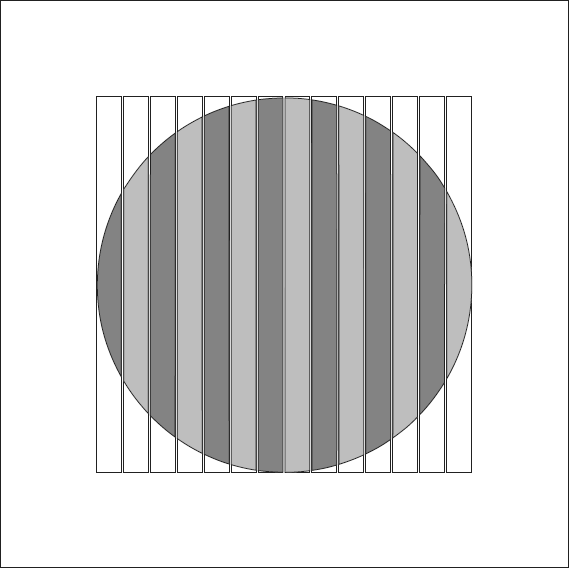
Low charge display
- Charging: Insert the round connector of the supplied charging cable into the charging port of MOON. Connect the charging cable’s USB-C connector with the power adapter. Plug the adapter into an outlet. Once MOON is fully charged, the LED will turn green. The charging cable can now be removed.
- Checking battery level: Hold down the control button once (approx. 5 sec.) and press four times. The green LED will indicate the charge level in 10% increments: if the LED flashes four times, the charge level is 40%.
Control panel
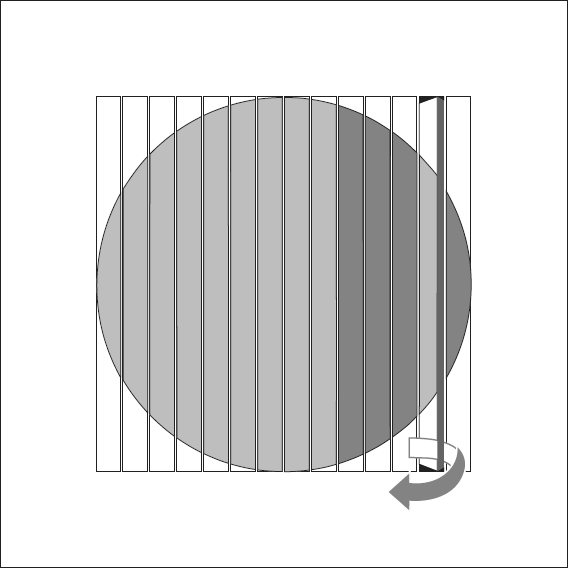
Correcting twisted prism
If a prism becomes out of sync or off, it may be rotated manually. The prism is in the correct position if it easily clicks into place. Always use cotton gloves when touching the artwork.
MOON not responding
- Check the battery status. If charging is required, follow charging instructions.
- Reset the electronics if battery charge is not the issue. Hold down the reset button for approximately one second using a thin object (diameter less than 2.5 mm, such as a small paper clip). Test the functionality again. Check the battery status. If charging is required, follow charging instructions.
Control panel
Where not to display
- For indoor use only.
- Do not use the clock in rooms where humidity is high (such as a bathroom).
- Install out of reach of children and pets.
- Do not place the clock where it could incur unintentional knocks or pulling of the cables.
- Avoid direct heat radiation, for example heat from radiators
- Avoid direct sunlight
Cleaning
METAL LEAF SURFACES: The precious metal leaf surfaces should only be cleaned with a soft, dry, dust-free, non-shedding bristle brush (such as an artist's paintbrush) without exerting pressure.
PAINTED SURFACES (BODY, FRONT FRAME, PRISMS): Remove light dirt with a soft, dry and non-abrasive cloth. Remove any other dirt with a soft, slightly damp and non-abrasive cloth.
Warranty & repairs
The manufacturer’s warranty is valid for two years from delivery. Only use your MOON with original accessories. Damage resulting from failure to observe the information in the instructions for use outlined in the manual, or from modifying, opening or altering your MOON is not covered by QLOCKTWO's warranty.
Never attempt to repair or dismantle your MOON yourself. Contact us for QLOCKTWO repair information.
QLOCKTWO Updates
Recommended:
Get an email reminder during spring and fall time changes on how to set your QLOCKTWO.
 W (1.5")
 13.5 (5")
 45 (17")
 90 (35")
 180 (70")


