


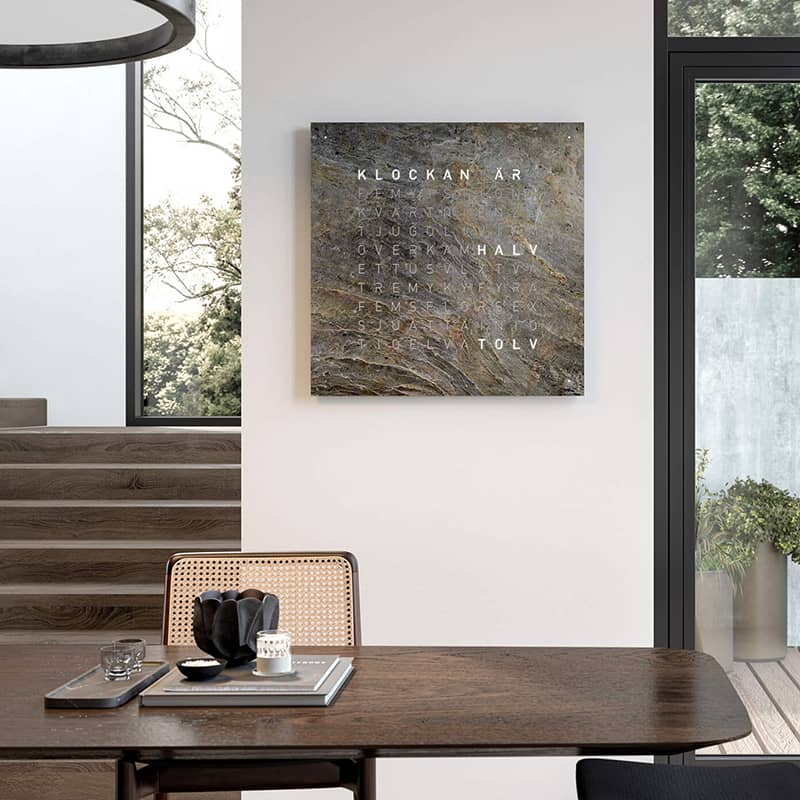
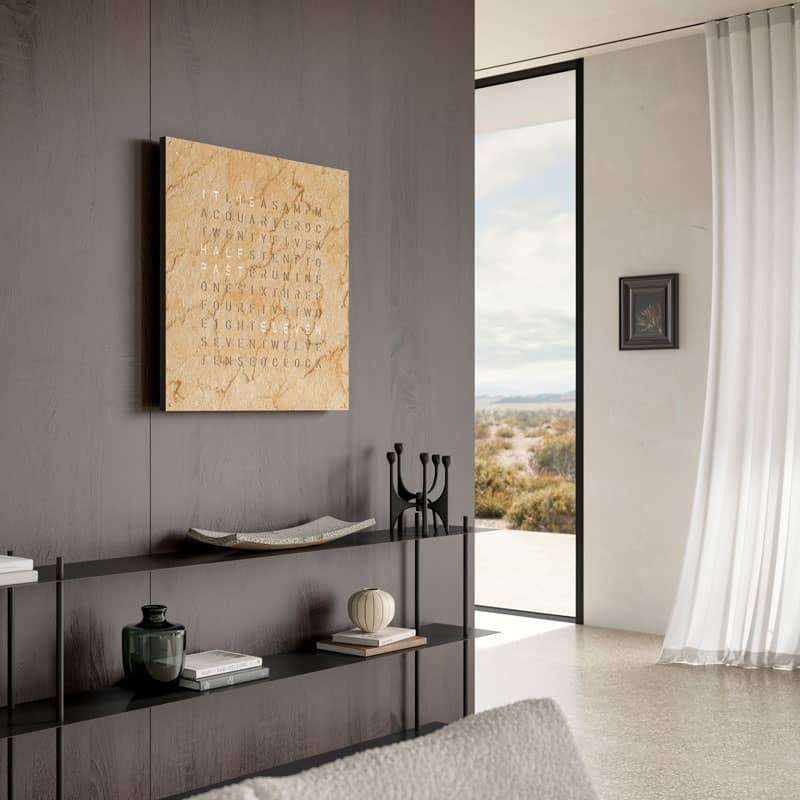


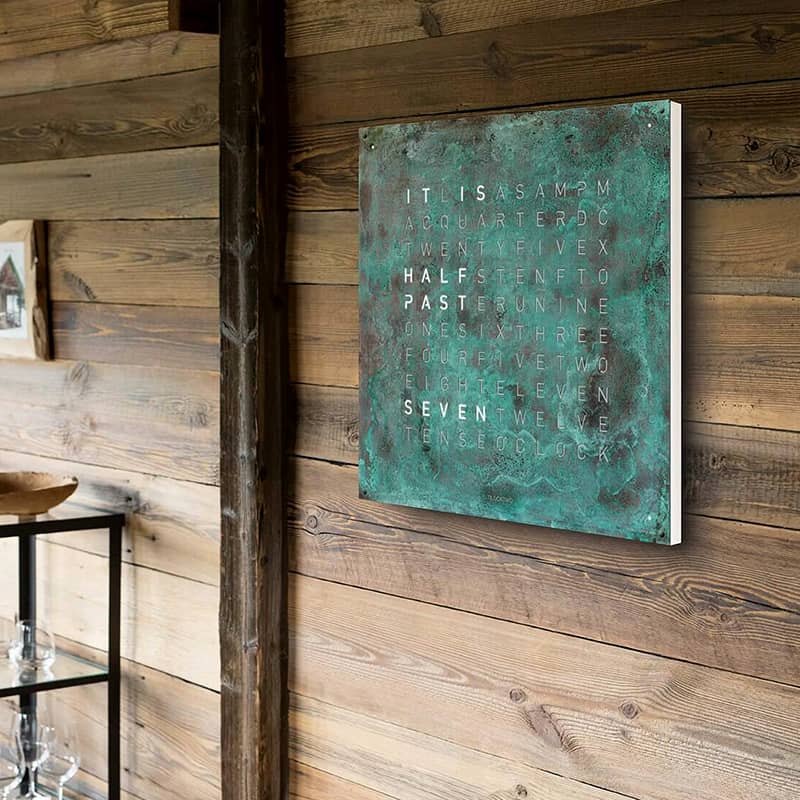

QLOCKTWO EARTH 90, Creator’s Edition is the word clock at wall scale: 35.5 inches square, with four times the surface of the EARTH 45, and proportioned for larger rooms and commercial spaces. Each Creator’s Edition front cover is finished by hand, individually signed and numbered, so no two are alike. QLOCKTWO builds every piece by hand in Schwäbisch Gmünd, Germany. The design has received the Red Dot Design Award, iF Product Design Award, ADCE Gold Award, and Iconic Awards for Innovative Interior.
HOW IT WORKS
Behind the front cover is a lacquered wood matrix of LEDs. Each minute, the right letters illuminate to spell the time in five-minute steps, while four corner dots count the minutes in between. Brightness adjusts automatically or manually in three levels. The time can be set with buttons on the back, the FLASHSETTER app, which uses your phone’s flash at the logo, or an optional infrared remote. A seconds mode displays the seconds alone as large numerals across the face. Every language is programmed into the clock body; changing languages requires a different front cover. All EARTH models arrive ready for US installation, using either a standard outlet or direct wiring.
CHOOSING YOURS
Creator’s Edition front covers come in nine core materials and finishes: hand-rusted raw steel (Rust), unfinished marble (Desert), two slates (Metamorphite and Glintscape), patinated copper (Vintage Copper), 24k yellow gold leaf, Moon Gold, Pt 999 platinum leaf, and 12k white gold leaf with oxidized silver. See each finish up close in our front cover lookbook. The clock body is visible only at the edge and comes in white or black; Platinum pairs with black at no extra charge. Front covers are available in more than 20 languages. Slate covers are bonded in place and can be removed only at the factory; metal covers are bolted and can be changed by a skilled professional. We are the only retailer with large finish samples available to loan, so you can judge a material in your own light rather than ours.
DEALER’S NOTES
A question we hear is 90 or 45, and both work in large spaces. The 90 reads from roughly twice the distance, so choose it if the time needs to be legible across a lobby or a large interior and the wall has room for it, or if you want to slide the scale toward art. It comes down to how you envision the piece and how you’ll interact with it. Our opinion of the finishes matters less than yours. The right one is whichever you’ll be glad to see every day, which is why we lend samples. If you’d like a recommendation, send us photos of the room and we’ll give you one. The Creator’s Edition finishes reward size: the larger the surface, the more the hand-finishing shows. Metal leaf is left uncoated to preserve its luminosity, though a protective coating can be added for high-traffic projects. Cotton gloves are included; use them whenever you handle the front cover, especially the metallic finishes.
The EARTH 90 weighs 55 pounds, and installation is a two-person job: mount the cradle, then slide the clock into place. We have a few tips for installers. Most clients hardwire it or use a recessed outlet hidden behind the clock; a long power cable is included if needed. Brightness adjusts automatically, and we recommend living with the default setting for a few days before changing anything. Front covers in languages other than English usually add lead time, and we’re always glad when someone chooses one.
Every EARTH 90 is well packed and ships from the US. The LEDs typically last seven to twelve years before they begin to dim. When they eventually need service, QLOCKTWO can replace the electronics here in the US, and we coordinate the exchange so the work does not need to cross an ocean.
Download manufacturer manuals
Setting the time
Setting time can be accomplished three ways on the EARTH 90: with the 3 buttons located on lower, center back; with the FLASHSETTER app; or with the optional infrared remote control. Time is measured on a 12-hour cycle.

Option 1: clock buttons

Back button detail. If you are facing the FRONT and feeling around for these on the BACK, the order is the same as shown.
- Press [60] button to advance time in 1-hour increments
- Press [5] button to advance time in 5-minute increments
- Press [1] button to add 1-minute increments*
*Adds on 1, 2, 3 or 4 minutes as corner dots. Each time you touch the [1] button, the internal counter for seconds goes to zero. This makes it possible to set the time precisely to the second.
Option 2: smartphone FLASHSETTER app
- Install FLASHSETTER app: Android (Google Play) | iOS (App Store)
- Open the app and press the green "FLASH" button.
- The light sensor is on the front QLOCKTWO logo of the EARTH 90. The strobing light is what changes the time. Position the side of your phone that is flashing facing the light sensor (on Android this is the screen of your phone, on iPhone, the back of your phone).
- The entire clock matrix will light up once the new time is set.

Using FLASHSETTER iPhone app on EARTH 90
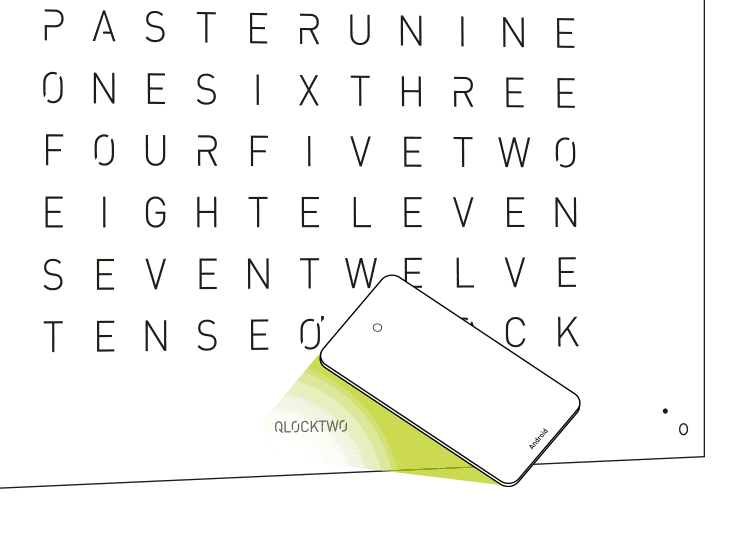
Using FLASHSETTER Android app on EARTH 90
Adjusting display brightness
The display brightness level can be set manually. The factory default is ‘automatic’.
Press [☼] button to set the level of brightness. See 'Setting the time' for button placement. The setting options will cycle as follows:
- Maximum brightness
- Strong brightness
- Medium brightness
- Low brightness
- Automatically adjusted brightness
(minute dots in the corners light up briefly to signify this setting)
We recommend living with the clock a little to find the right setting for you. QLOCKTWO (like most works of art) should not be displayed in direct sunlight. In the case of a power outage, the brightness setting will reset to automatic.
Infrared Remote
Settings can all be made with the optional infrared remote control. If you purchased an EARTH 90 through Clock Forward, please contact us and we will send you one complimentary.
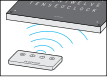
Using the optional infrared remote on the EARTH 90
- Hold the remote control underneath the QLOCKTWO EARTH 90. The infrared receiver is behind the logo on the front.
- Make settings with the remote control. The function of the buttons corresponds to the keys on the back of the casing.
- The remote control is operated with a lithium button cell (CR2032). If the transmitting power is low, replace the remote control battery.
Changing ‘IT IS’ display options
You may choose to either show the introductory words "IT IS" for full hours and half hours only (the factory default) OR show “IT IS” at all times.
- Press & hold [60] button for approximately 3 seconds to switch the setting.
Large seconds only display mode
The seconds can be set to appear as large numbers on the Front Cover display (only the seconds will appear).
- Press [☼] button for approximately 1 second to enter this mode. To return to the normal time display, press any button.
Changing the language setting
Each language requires a separate Front Cover; however, the same clock matrix body can be used for every language (except Arabic). To set your language:
- Press & simultaneously hold [☼] + [ 60 ] for 3 seconds to access the language menu.
- The language currently set is shown in capital letters.
- Press [☼] repeatedly until the appropriate language version appears.
- Press [60] to save the new language and exit the language menu.
EARTH 90 Front Covers are interchangeable
Unlike CLASSIC & TOUCH models, EARTH 90 Front Covers are bolted in place. It is possible to interchange them, but it requires a skilled professional.
*Metamorphite and Glintscape are attached to the corpus with an adhesive. They are removable, but at the factory only. Platinum, Gold & Silver, Gold and the 10 Years Edition can easily be damaged when removing, and should be handled by a skilled QLOCKTWO professional only. Arabic is the only Front Cover variant that requires its own unique clock model body.
Wall mount requirements
Use mounting template and consult instructions. Though most customers directly wire their EARTH 90 to conceal the cord, it also comes with approximately 157” of cable.
If you lost your mounting template copy, be sure to print it to scale. You may need to find someone with an oversize printer such as FedEx Office, Staples, or a UPS Store.
If you moved and left your mounting hardware behind, you can contact us to order a replacement bracket.
Where not to display
- Do not use the clock in rooms where humidity is high (e.g. bathrooms). This can damage the clock circuitry
- Do not place the clock directly adjacent to electronic devices that could be sensitive to the clock’s magnets (such as a hard drive).
- Do not place the clock where it could incur unintentional knocks or pulling of the cables.
- Avoid direct heat radiation, for example heat from radiators
- Avoid direct sunlight
Cleaning Front Cover
On the EARTH 13.5 and 45, the Front Cover is held in place with magnets and can be taken off for cleaning. If you remove the Front Cover, place it on a level, padded clean surface (for example, on top of a soft towel). The EARTH 90 and 180 Front Covers are attached with bolts and should not be removed for cleaning. The Moon objects should not be disassembled.
CAUTION: Polishing cloths and solvents (e.g. turpentine or benzene), and detergents containing alcohol (e.g. spirit) may damage the surfaces. Use cotton gloves (included with delivery) whenever handling Front Covers.
- Acrylic Glass Front Cover (QOLOR)
Remove slight stains with the microfiber cloth. Remove stubborn stains with a suitable acrylic glass detergent or with a soft microfiber cloth and water containing a very small amount of dish soap.
- Brushed Stainless Steel Front Cover (STAINLESS STEEL)
Remove slight stains with the microfiber cloth (one is included with delivery). Remove stubborn stains with a suitable stainless steel cleaner. We use Weiman's Stainless Steel wipes: wipe it on, use a microfiber cloth to buff and remove excess cleaner.
- Powder Coated and DLC (Deep Black) Front Covers
Remove slight stains with a soft microfiber cloth (one is included with delivery). Remove stubborn stains with soft microfiber slightly dampened with water (using as little water as possible); if needed, add a very small amount of dish soap (such as Dawn) to the water before dampening the cloth. - Velvet Textile Covered Front Covers
Use a soft velvet brush to remove dust and to smooth the surface. Brush with the velvet grain. Soiling can be removed with a soft, damp cloth. - Metamorphite, Glintscape and Unfinished Marble (Desert) Front Covers
Carefully dust surfaces with a soft, dry and dust-free cotton cloth. Select a finely woven cloth that will not 'shed' against the rough surface areas. A very soft hair brush may also work (make sure it will not scratch the surface) without applying pressure. - Precious Metal Leaf Front Covers (Gold, Silver, Platinum)
Carefully dust the surface with a soft hair brush without applying pressure. Do not use liquid cleaner, cloth or any rubbing motion as it may start to remove the leaf.
Warranty & repairs
The manufacturer’s warranty is valid for two years from delivery. Only use your QLOCKTWO EARTH 90 with original accessories. Damage resulting from failure to observe the information in the instructions for use outlined in the manual, or from modifying, opening or altering your QLOCKTWO EARTH 90 is not covered by QLOCKTWO's warranty.
Never attempt to repair or dismantle your QLOCKTWO EARTH 90 yourself. Contact us for QLOCKTWO EARTH 90 repairs and replacement parts.
QLOCKTWO Updates
Recommended:
Get an email reminder during spring and fall time changes on how to set your QLOCKTWO.
 W (1.5")
 13.5 (5")
 45 (17")
 90 (35")
 180 (70")